
AI Agent · Mobile Design · iOS
Ana
Designing trust into AI-powered news for Gen Z
Tools
Figma · Dovetail · Qualtrics
Scope of work
UX Design · Lead PM
Duration
10 weeks · Team of 4
Challenge
How to rebuild Gen Z's trust in the News?
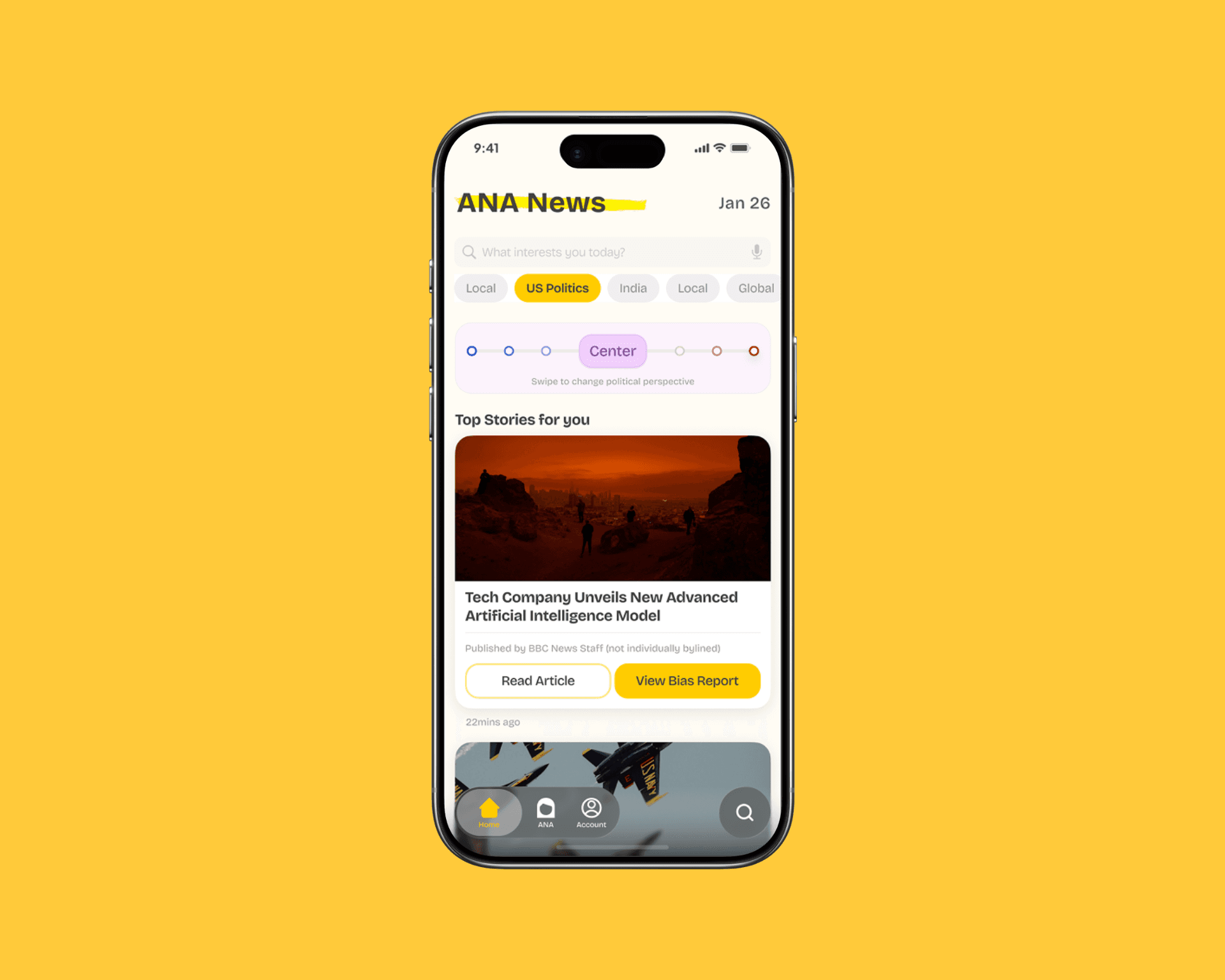
Gen Z reads more news than any prior generation — but trusts it less. Most aggregator apps solve the wrong problem: they surface more content instead of helping users evaluate what they're already reading. Ana is an iOS app I designed and product-managed using a custom AI prompt to detect media bias, explain its reasoning transparently, and teach users to evaluate sources themselves. I led product strategy and was the primary UI designer across a 10-week sprint.
82%
found AI bias explanations credible
73%
changed how they evaluate news
80%
found a balanced perspective unprompted
Problem
How might we help Gen Z evaluate a news article's credibility ?
Our research found users weren't disengaged — they were overwhelmed and skeptical. 82% of survey respondents had never used an AI news tool. In interviews, users said they wanted to see 'the full story' but didn't trust any single source. The real design challenge wasn't aggregation. It was trust.
Solution
Building the AI agent
We chose Perplexity AI for its verifiable source citations and ability to accept custom system prompts — critical for controlling bias in the output itself. I designed a two-part rule-based prompt combining the 5Ws credibility framework and the Media Bias / Fact-Check scoring system to prevent the AI from reproducing the bias it was meant to detect.
Design process
We started with a user flow diagram, used tree testing to determine navigation priority, and iterated through lo-fi and mid-fi prototypes using RITE testing — rapid iteration based on real human behavior.
User pastes an article. Ana returns a structured bias report in under 10 seconds.
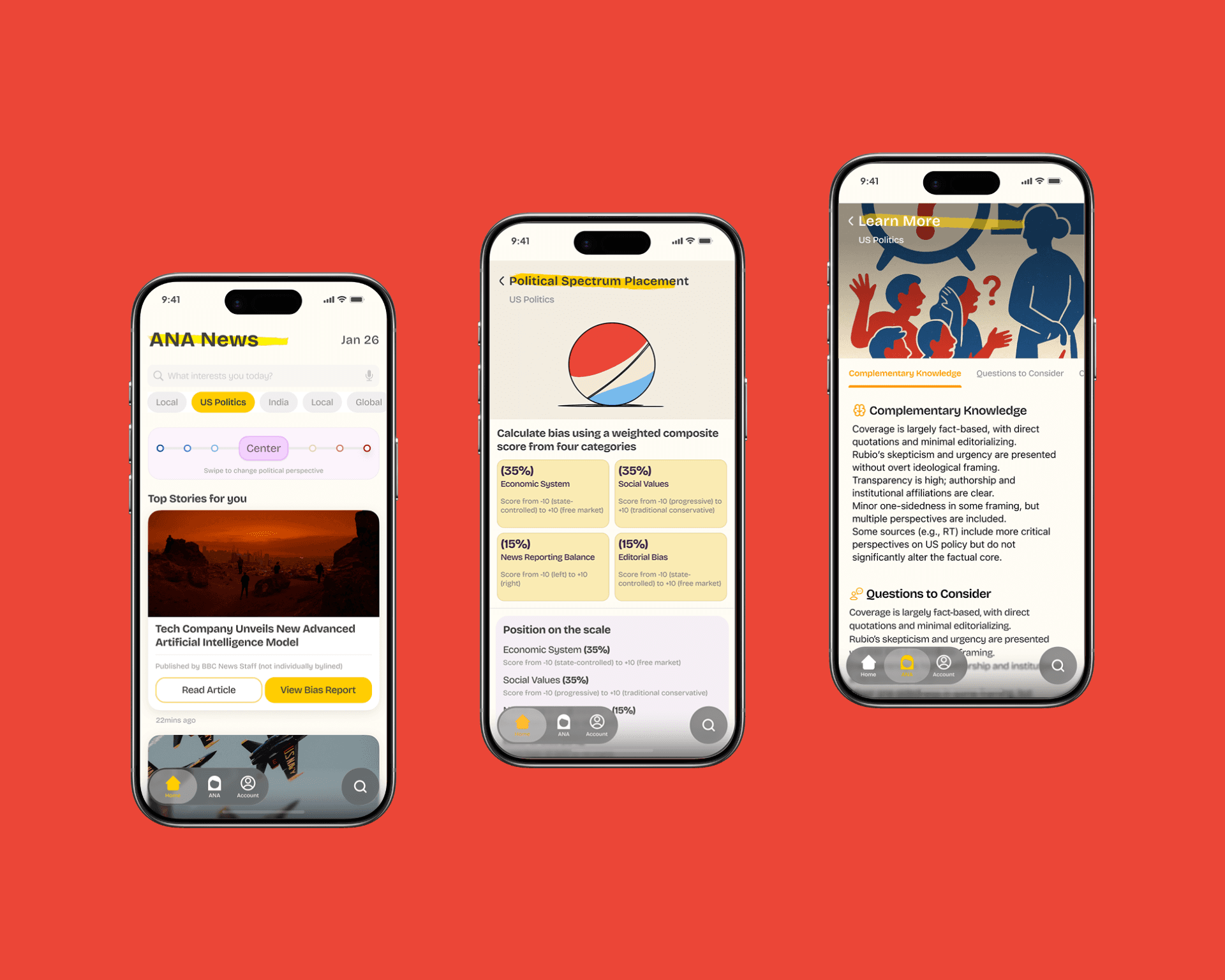
Chunked into Summary → Bias Score → 5Ws — the order users naturally scanned in RITE testing.
Bias slider added in week 8 after users said a single score 'felt like just another opinion.'
Tapping a reporter's name surfaces all their articles — a trust signal from interviews.
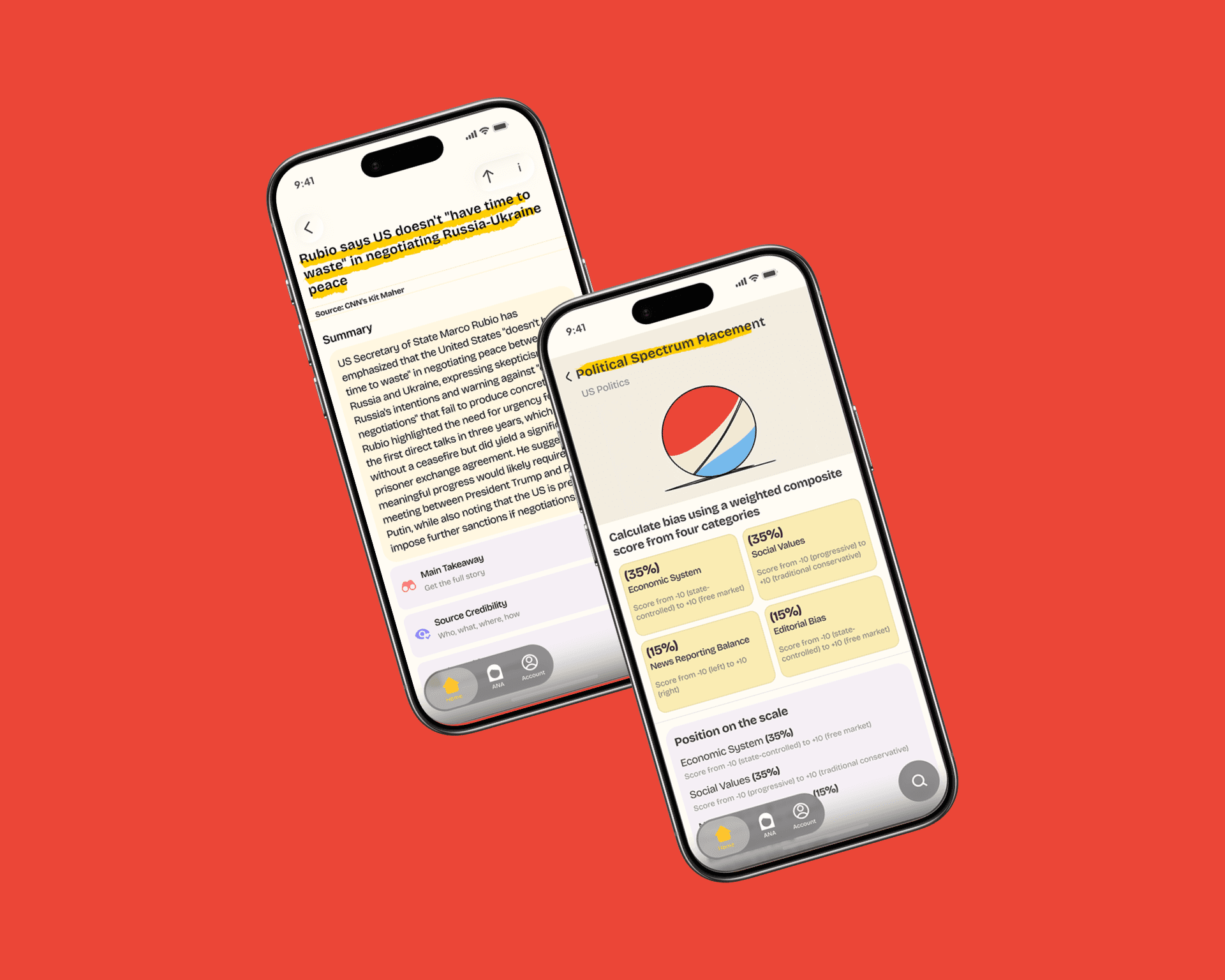
Article Summary & Bias Breakdown Once an article is uploaded, Ana distills it into a clean summary — pulling out the main claims, source credibility, and key takeaway so users can understand the full story without wading through spin. Alongside the summary, Ana runs a Political Spectrum Placement analysis that scores the article across four weighted categories: Economic System, Social Values, News Reporting Balance, and Editorial Bias. Each category contributes a percentage to a composite bias score, plotted visually on a spectrum dial. The result is a transparent, methodical breakdown that shows users not just where an article lands politically, but why — turning an opaque media landscape into something legible and learnable.
Key learnings
Visual consistency builds AI trust
When we adopted Apple's HIG library in week 6, users stopped questioning whether the app was 'official.' Polish directly affected perceived credibility.
Transparency is a design problem, not an engineering one
4 iterations of the bias score explanation screen. Too much felt defensive. Too little felt opaque. The balance was showing the top 3 reasoning factors — no more, no less.
Design for AI failure by default
The 'Source not verified' fallback wasn't an edge case — it was the most honest thing in the product. When the AI is wrong and the UI handles it gracefully, trust goes up, not down.